> ## Documentation Index
> Fetch the complete documentation index at: https://docs.gptchatbot.it/llms.txt
> Use this file to discover all available pages before exploring further.
# Introduction
When using [function calling](/rag-from-external-data-provider), you generally need to use publically available APIs - or make your own. However, we also host a number of commonly-used tool functions on our own site, tools.gptchatbot.it. More are being added every day, so watch this space!
If you would like to suggest a function for us to add, please let us know! You can email us at [info@gptchatbot.it](mailto:info@gptchatbot.it).
In order to use these tool functions, you must first create your own GPT Chatbot API key. For details, please see [Getting a GPT Chatbot API Key](/api-reference/api-key-setup).
Our current tool functions are:
Get the day of the week for a given date
Under construction!
## Usage
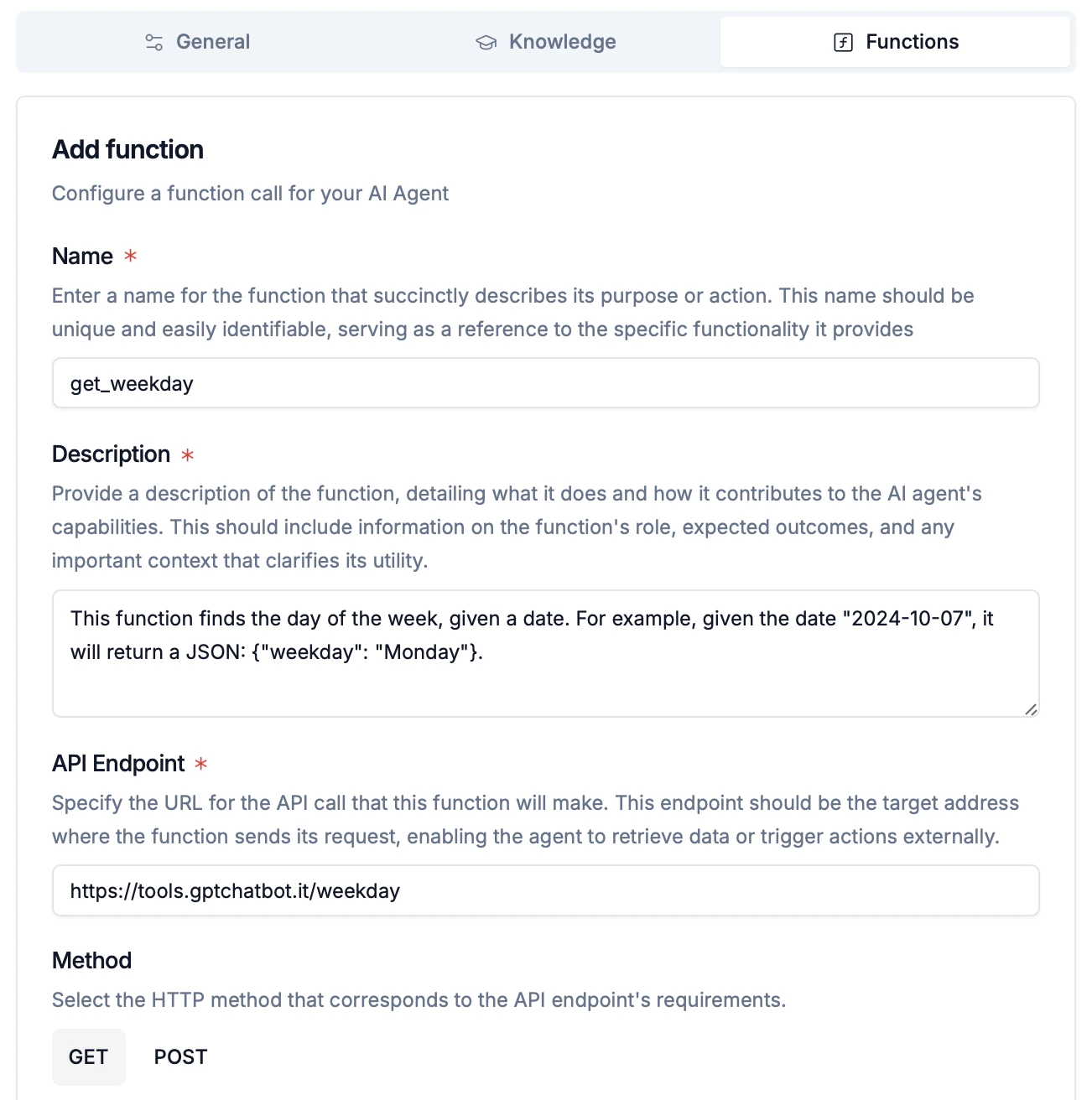
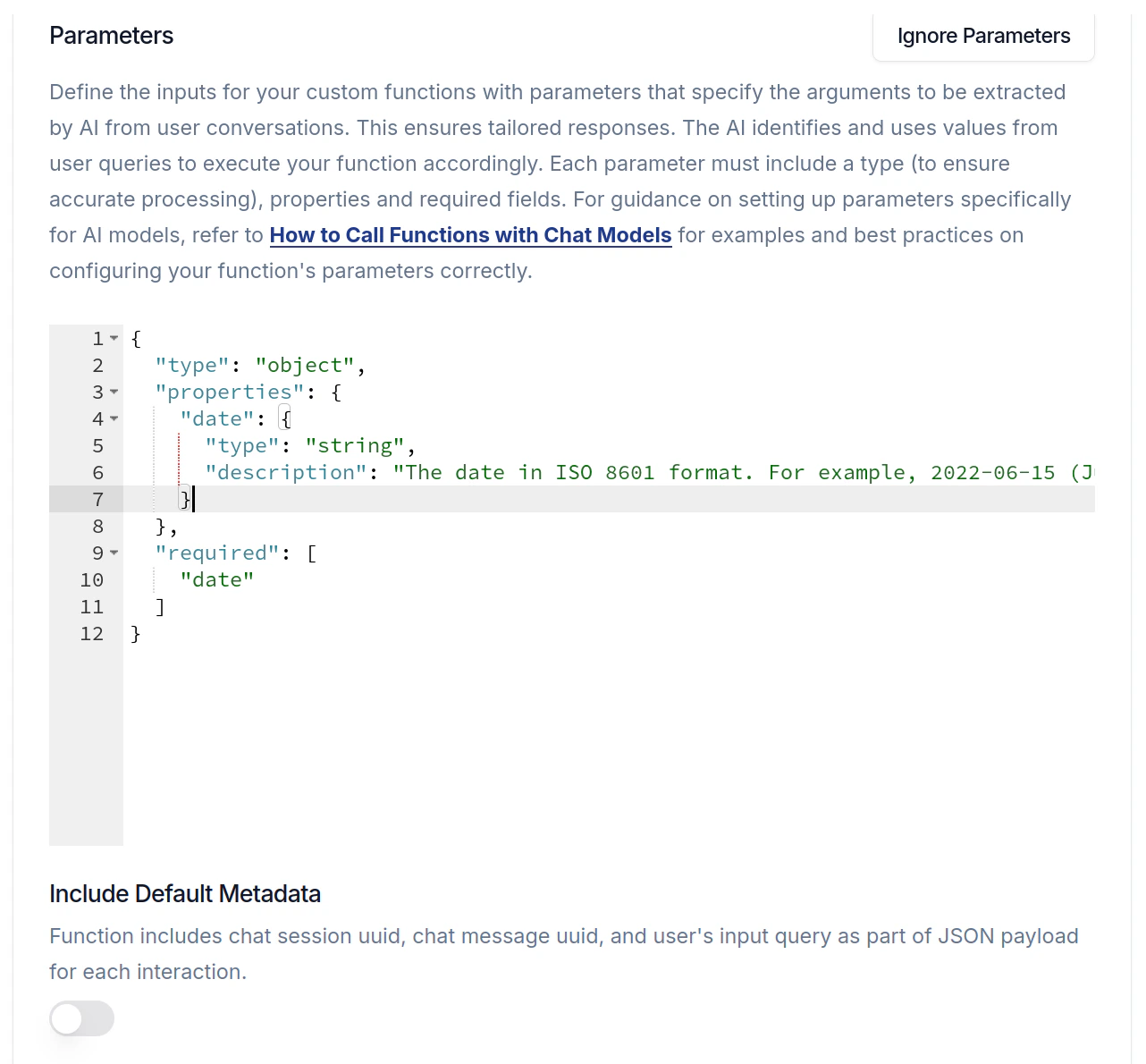
In each tool function's individual page, the description and parameters of the tool are provided. These can be used directly when creating a function in your agent. For example, the settings in the image below are taken directly from the [Weekday](/tools/weekday) page.
 For the "Headers" section of the form, you will want to enter the GPT Chatbot API key you created earlier, like so:
```json theme={null}
{
"Authorization": "Bearer Your-GPT Chatbot-API-key-here"
}
```
You must replace *Your-GPT Chatbot-API-key-here* with your own API key. The
tool function will not work otherwise.
And then, just click "Save", and you should be all set!
For the "Headers" section of the form, you will want to enter the GPT Chatbot API key you created earlier, like so:
```json theme={null}
{
"Authorization": "Bearer Your-GPT Chatbot-API-key-here"
}
```
You must replace *Your-GPT Chatbot-API-key-here* with your own API key. The
tool function will not work otherwise.
And then, just click "Save", and you should be all set!